
AI-Assisted Investigations
Investigate Faster With AI
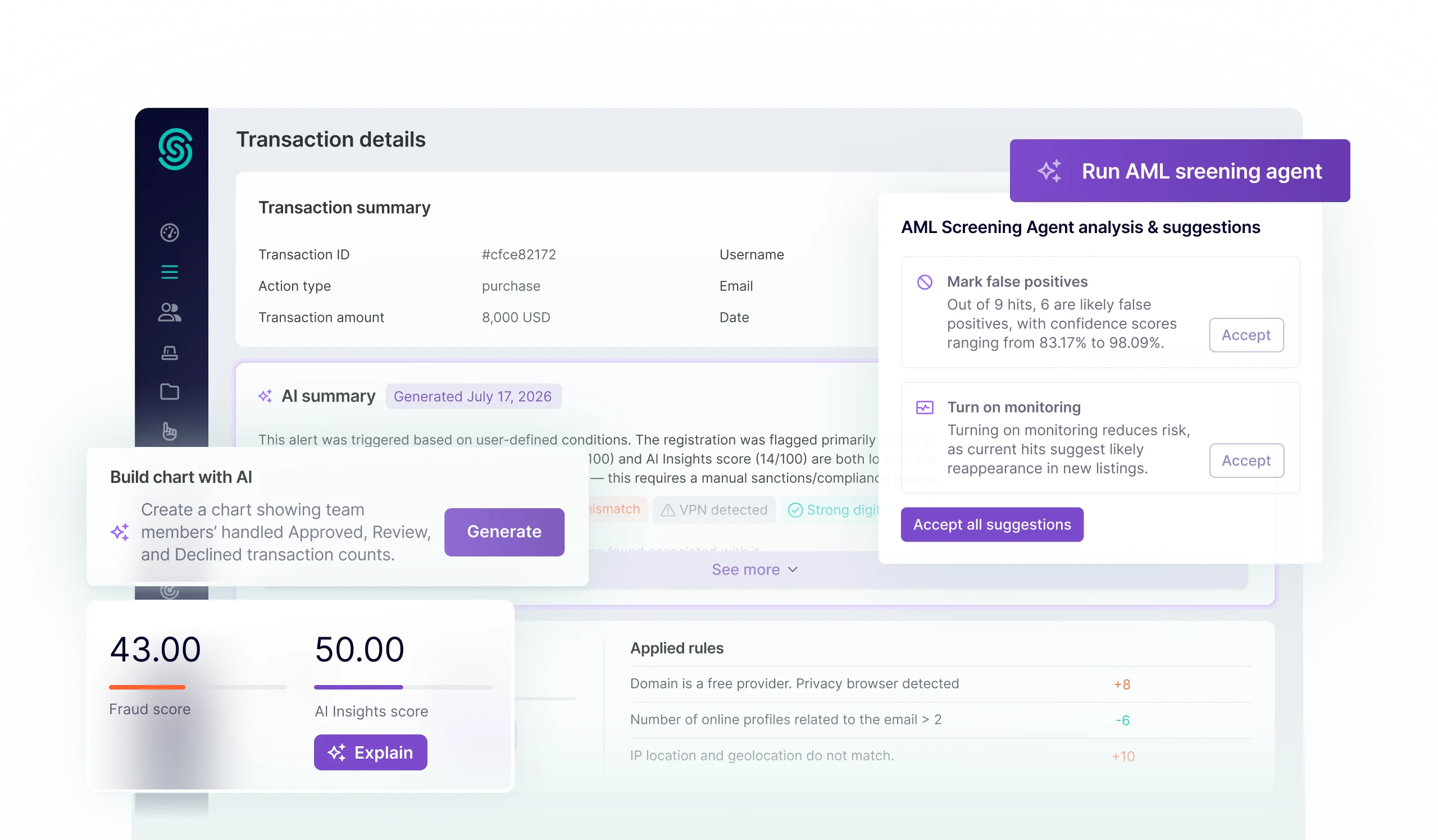
Use AI investigation tools built into SEON or bring your own AI agents. Either way, every answer starts with 1,100+ first-party risk signals, so your team can move faster without losing the evidence behind the answer.
Trusted by the World’s Most Ambitious Companies






Investigate in SEON
AI Tools For Every Step Of Your Investigation
Get the context, evidence and outputs you need to investigate faster inside SEON.
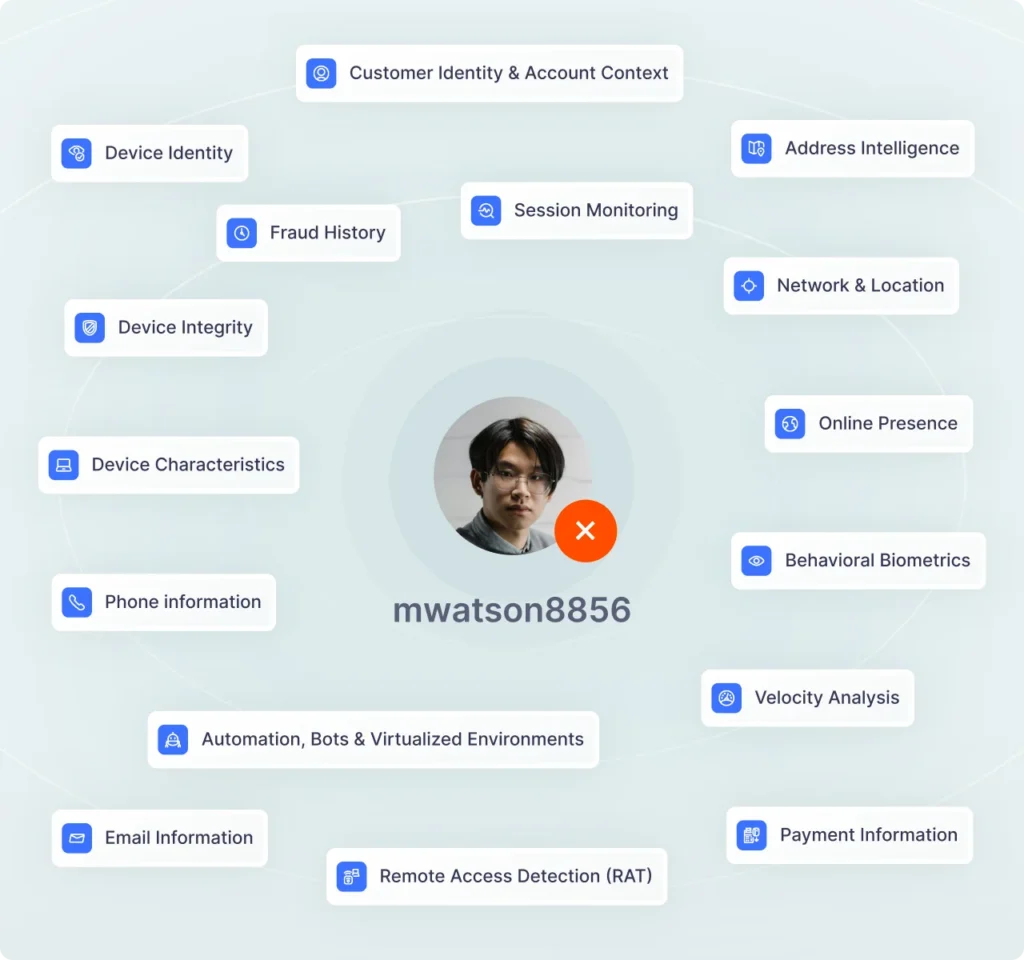
Turn 1,100+ Signals Into Clear Context
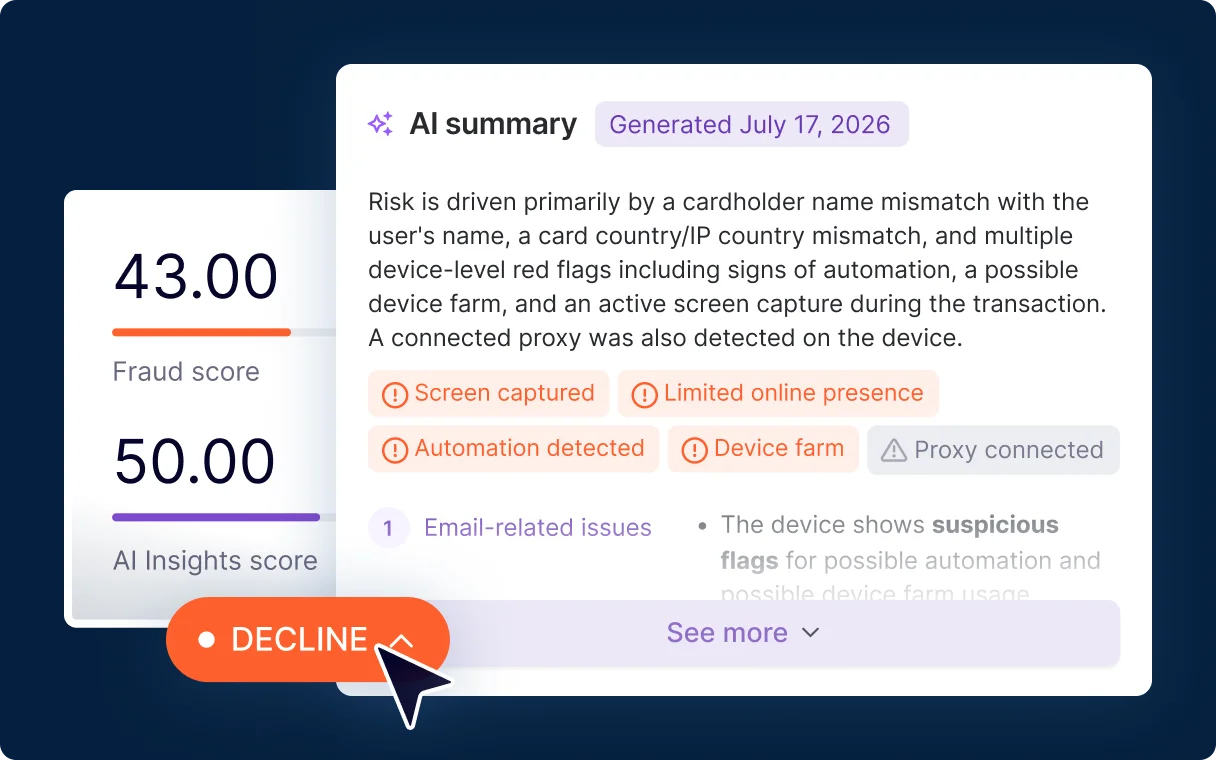
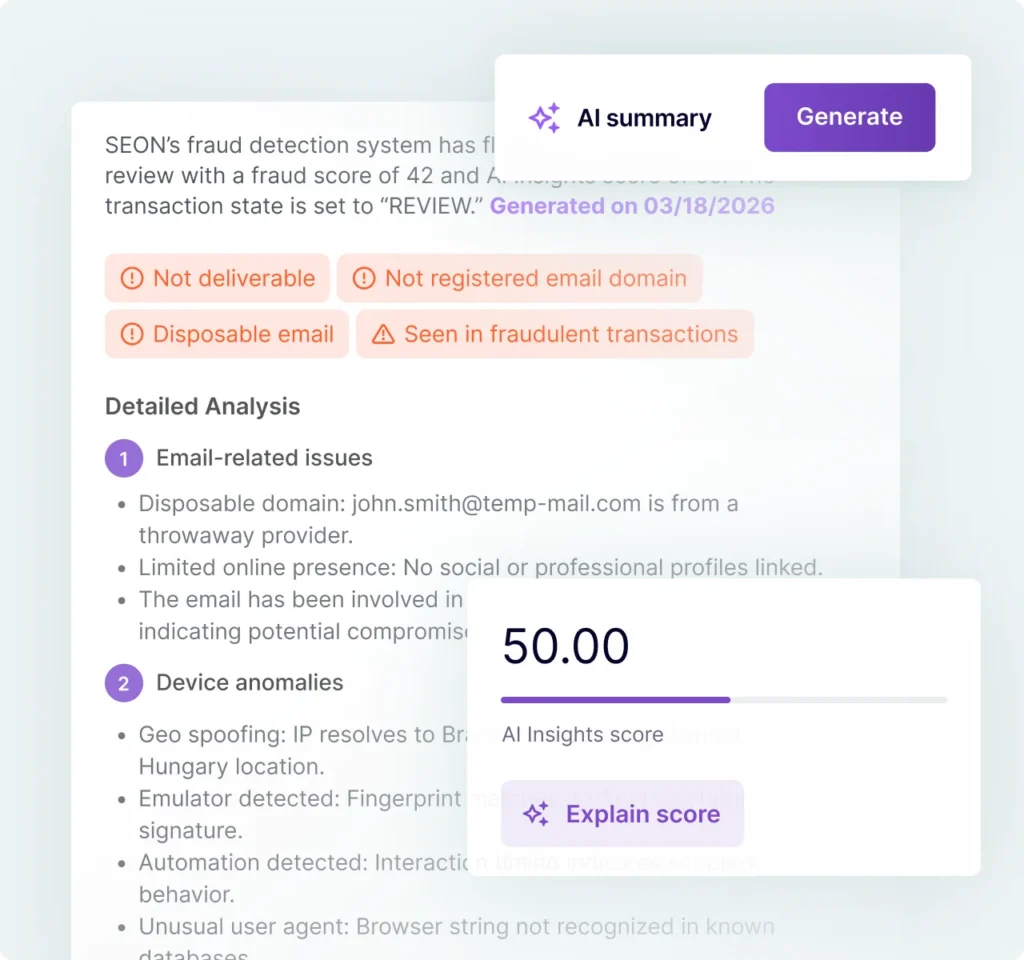
Get Up to Speed With AI Summaries
See why an alert or transaction was approved, declined or sent for review. Get the key signals, rule triggers and recommended next steps in plain language.
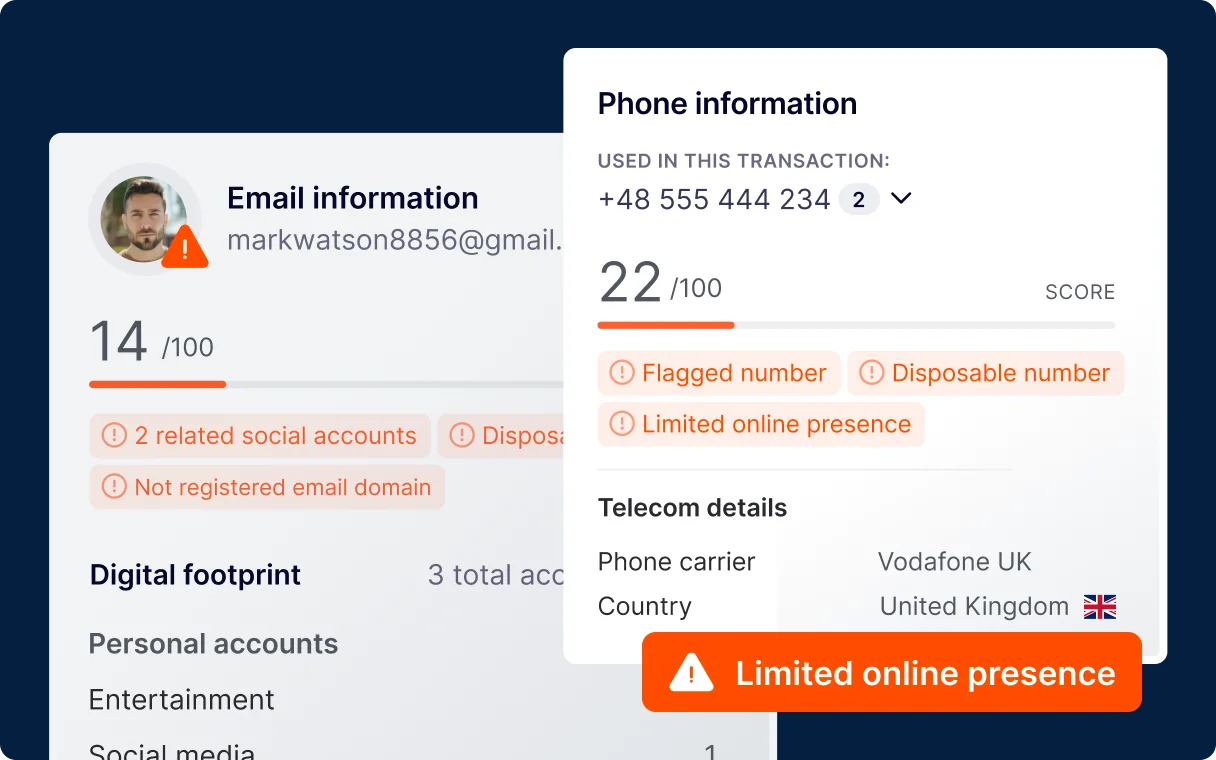
Instantly Interpret Risk Signals
Read risk at a glance with red, amber and green indicators across email, phone, device and IP, enabling you to move from signal to decision without interpreting raw data.
Understand What’s Driving Risk
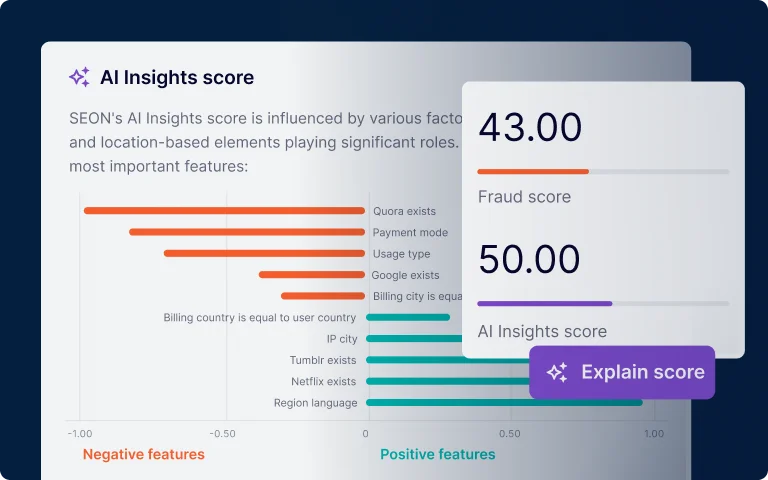
See the AI Insights Score Breakdown
See which signals impact the AI insights score and understand what influenced the model’s assessment before deciding whether to approve, decline or investigate.
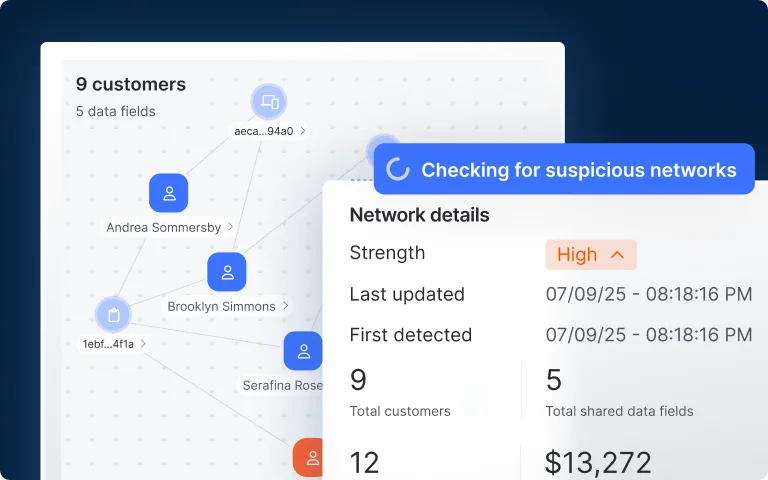
Uncover Suspicious Fraud Networks
Automatically surface suspicious networks within your customers to find connections across accounts, devices and transactions before they reach your review queue.
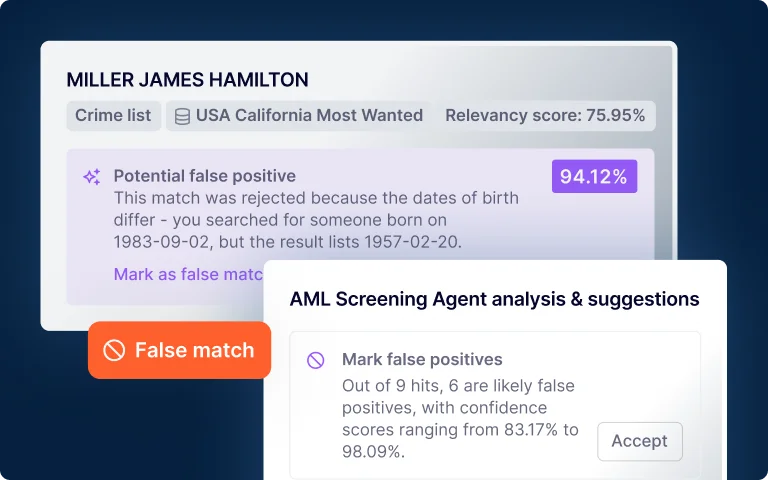
Review AML Screening Hits Faster
Let the AML Screening Agent flag false positives and provide explanations with confidence scores so your team can focus their investigations on what matters.
Turn Findings Into Logic, Action & Reports
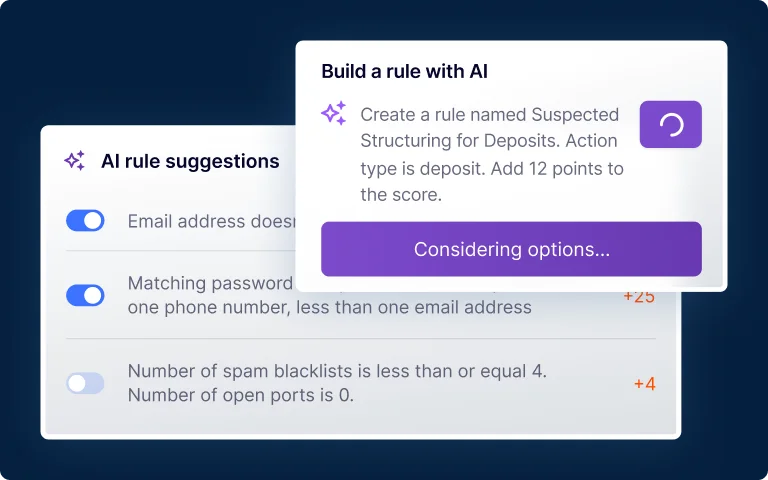
Turn Prompts and Patterns Into Rules
Build rules and filters from prompts, or catch fraud patterns with AI Rule Suggestions. Review the logic before it goes live.
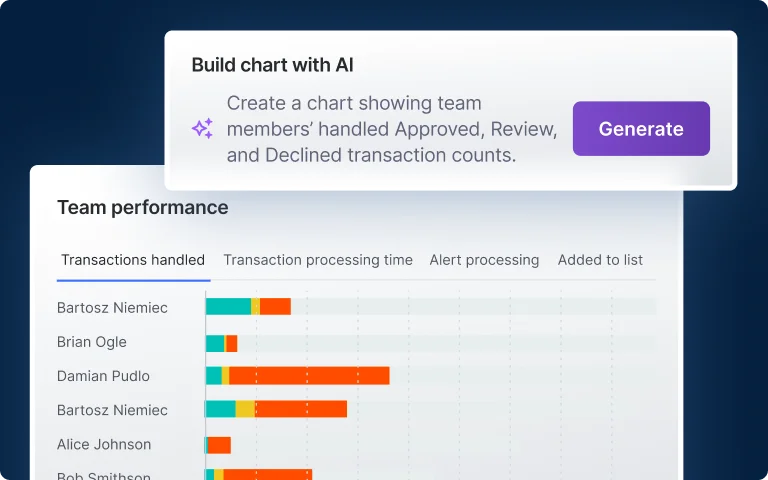
Create Custom Charts and Dashboards
Turn the transaction and customer analysis you need into a chart, explore trends and save results to your dashboard — no exporting data or waiting on BI.
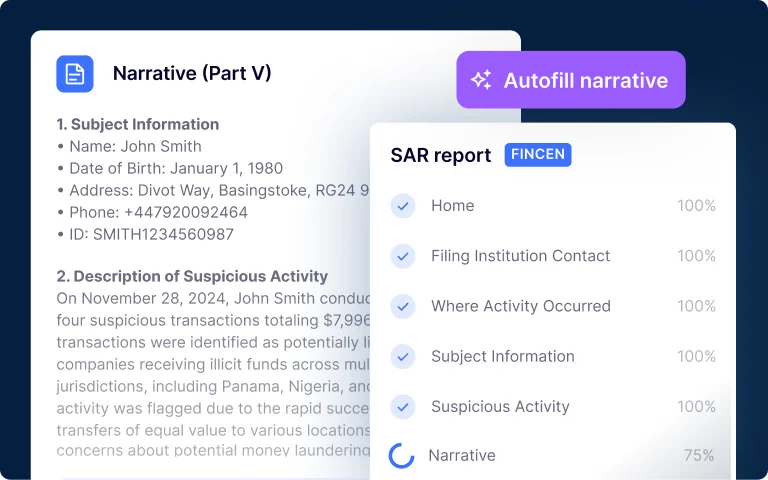
Draft Narratives & Regulatory Reports
Pre-fill report fields from case data and draft a SAR narrative with AI. Review, edit and approve the report, then file it directly with FinCEN or export it for submission.*
INVESTIGATE USING YOUR AI AGENT
Build Agentic Workflows That Align With How Your Team Actually Operates
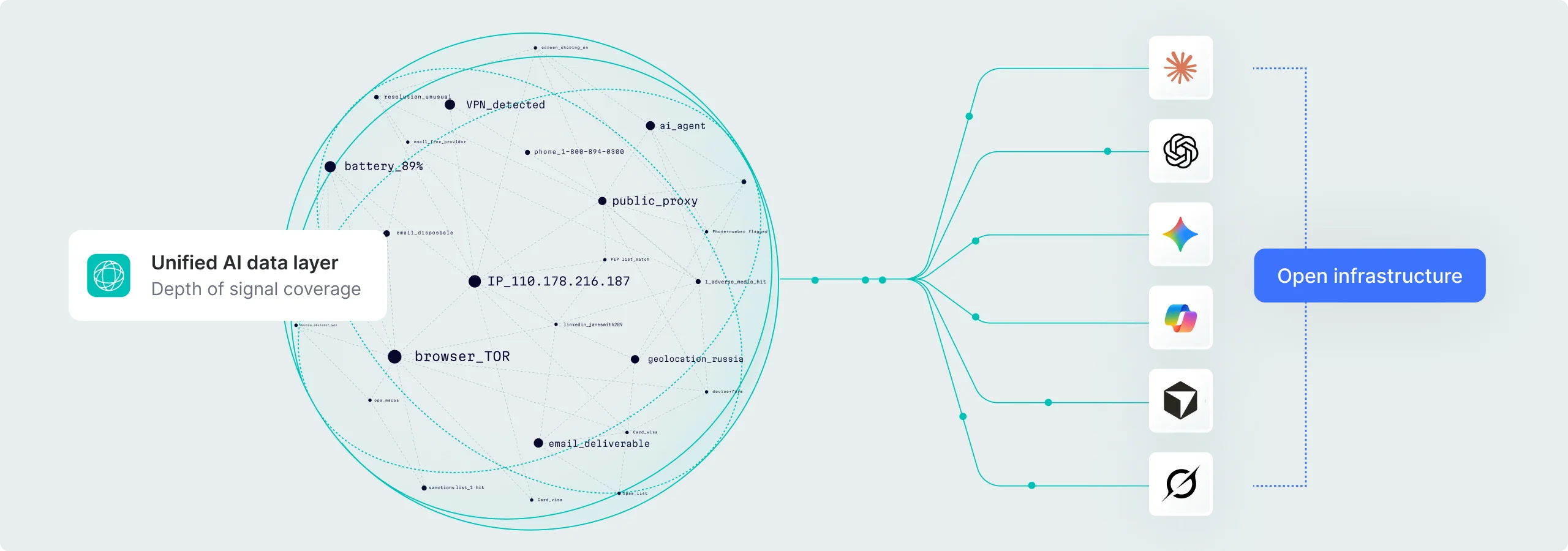
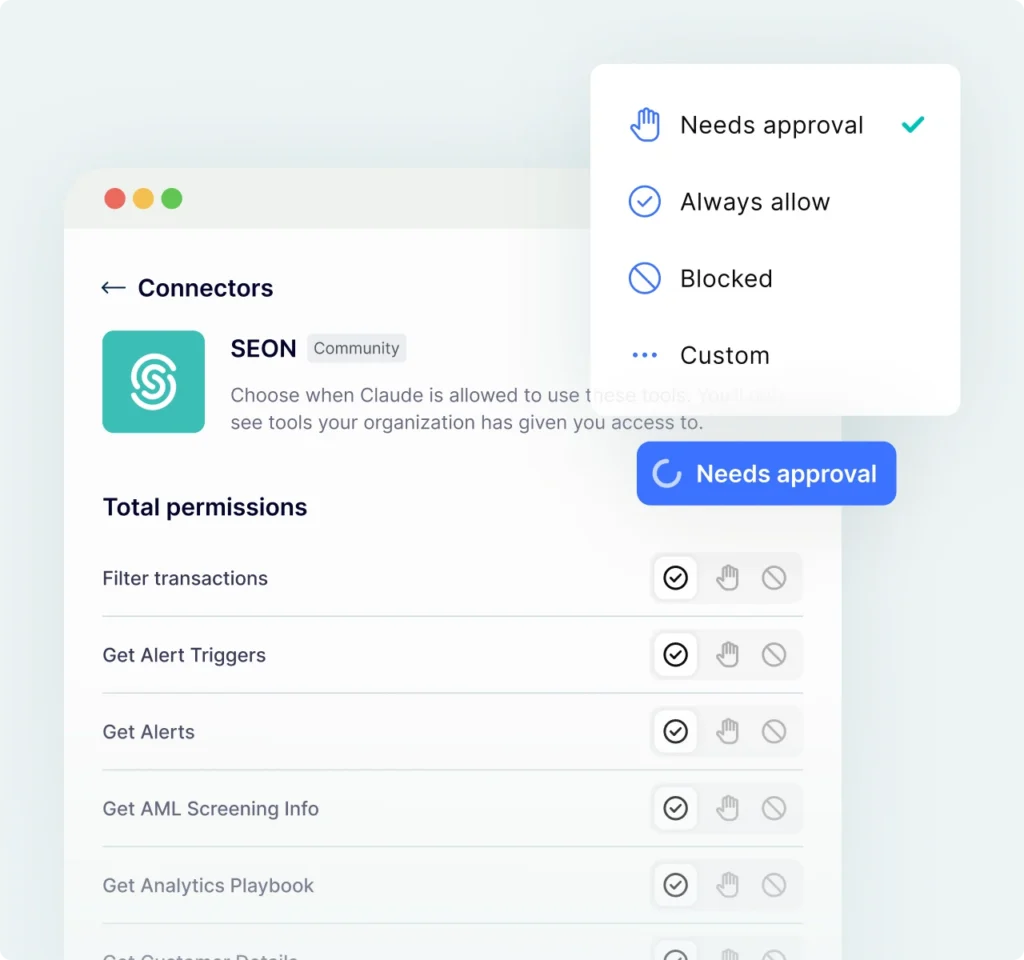
Query live transactions, customer histories and related accounts. Label transactions, update states, add notes and run configured automations. Preview actions before execution, within your existing SEON permissions.
Get Daily Briefings Delivered Before You Open Your Laptop
Synthesize overnight activity — volume shifts, emerging patterns and rule performance — into a brief to start each day with signals instead of dashboard scanning.
Ask Questions About Flagged Transactions & Emerging Patterns
Get answers backed by 1,100+ risk signals without copying data fragments or uploading static exports. Ask followup questions and dig deeper without rebuilding context.
Build Agentic Workflows & Custom Dashboards
Combine analysis into multi-step investigation workflows. Describe the dashboard you need and let AI generate it from SEON’s data plus your custom info.
THE SEON ADVANTAGE
Context for Fraud Defense & Agentic Risk Decisions
Give analysts and AI the signal context to assess risk and the evidence to back up decisions. Bring context into investigations without giving up access control.
Signal Intelligence
Accurate Risk Decisions Start With Better Signals
EXPLAINABILITY
Defend Every Decision With Evidence
PERMISSION AND CONTROL
Keep Your Data Under Your Control
Discover How Companies Win

“Before, our analysts pulled data across multiple systems. Now, we bring a user’s platform journey and SEON’s risk signals directly into Claude, and AI connects the dots on complex fraud patterns without the manual assembly, unlocking OSINT capabilities that wouldn’t have been possible before.”
Eric Taylor
Manager of Trust and Safety, TurboTenant

“AI agents will interact with our marketplaces as customers and be used to impersonate them. We need an intelligence foundation ready for both. SEON opening its data layer to any AI we choose fits where the market is going.”
Mostafa Hassanin
CISO, SMG Marketplace
Integration
Connect Your Data. Return a Decision.
Send transaction data and custom fields through the API. Receive fraud scores, rule results and decision states in your existing systems, while your team manages and refines the detection logic in SEON.
Integration
Start With a Workflow, Not a Blank Prompt
Legacy tools feed third-party data into opaque models and hand you a verdict. SEON gathers every signal first-hand, in real time and shows its work, so an analyst can act on a high score in seconds and back up their decision with hard evidence.
Works with SEON’s MCP server
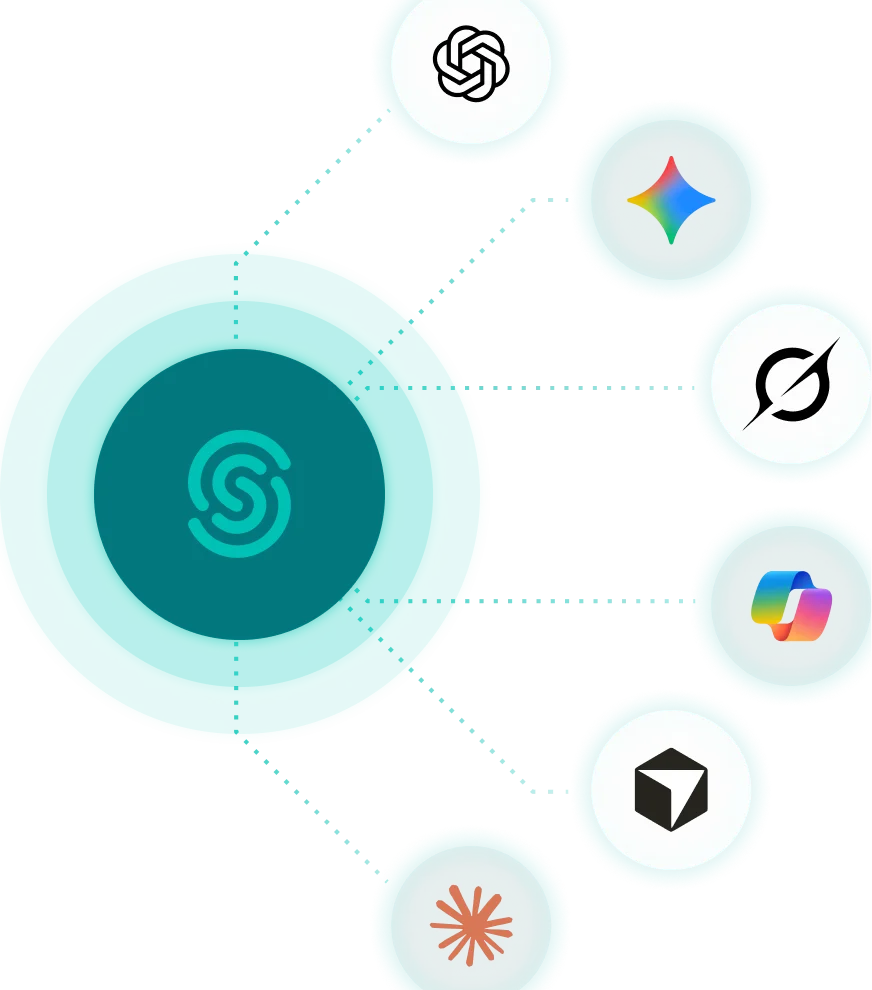
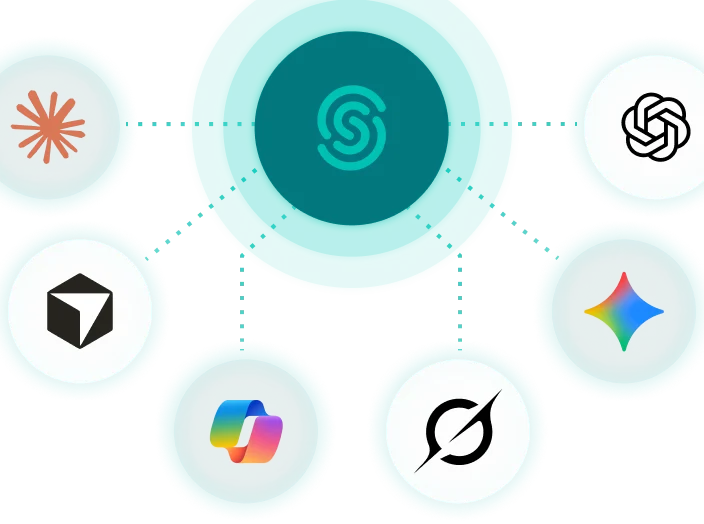
Query 1,100+ fraud and AML signals into Claude, ChatGPT, Gemini or any MCP-compatible tool. Requires a SEON account with MCP enabled.
This form may not be visible due to adblockers, or JavaScript not being enabled.
Agentic Skills are designed for MCP-compatible AI tools and optimized for Claude. Performance may vary by tool and configuration. Skills download as zip files. By signing up, you agree to our Terms Of Service and Privacy Policy.
Works with any data source
Perform open source research and use the typology classifier with any dataset you already have on hand. No SEON account required.
This form may not be visible due to adblockers, or JavaScript not being enabled.
Agentic Skills are designed for MCP-compatible AI tools and optimized for Claude. Performance may vary by tool and configuration. Skills download as zip files. By signing up, you agree to our Terms Of Service and Privacy Policy.
Get Started
The AI Playbook for Fraud and AML Teams
Your AI tools can do more than you think. Learn what is possible when AI connects directly to fraud and AML data.
Stage 1
Connect & Configure
Get MCP connected, configure your AI tool with your risk operation’s context and handle governance questions. The whole setup takes a few minutes, then you’re ready to start querying your live data.



Stage 2
Build Your First Skill
Run your first AI-assisted investigation, then build a reusable skill you can run on demand. By the end of this stage, you have a working skill and a downloadable skill pack.



Stage 3
Automate & Scale
Build the automated workflows that make AI part of your team’s daily rhythm — from morning briefings to persistent investigation context that carries across sessions.


The #1 AI Platform for Fraud Prevention & AML Compliance
With over 380 reviews, SEON is the market leader and G2’s best fraud prevention platform.
Frequently Asked Questions
What does it mean to investigate with AI in SEON?
You have two ways to investigate with AI. Inside SEON, AI can summarize alerts, explain risk scores, build charts and rules, assist with AML screening and help prepare regulatory reports. Through SEON’s MCP server, you can bring live SEON risk context into supported AI tools and investigate from the interface you already use.
Which AI tools work with SEON?
SEON currently supports Claude, ChatGPT, Gemini CLI, Microsoft Copilot, Cursor and Grok through its MCP server. They connect to the same SEON data layer through OAuth and respect the authorizing user’s existing permissions.
Can an external AI agent make changes to my SEON account?
SEON’s current MCP tools can read and take action. External AI agents can retrieve and analyze permitted SEON data, and can label transactions, update transaction states, add notes and trigger automations. All permissions are scoped to a user’s existing access and show a dry-run preview before any action is applied.
How does SEON explain a risk score?
The AI Insights Score analyzes over 1,100 first-party fraud signals. Its explanation shows which signals had the greatest positive and negative impact on the score, while AI Summary translates the wider transaction context into plain language.
How is access to SEON data controlled?
MCP is disabled by default and must be enabled by an account admin. Each user authenticates MCP access using their existing SEON credentials. MCP respects the same role-based permissions as in SEON. All MCP activity is recorded in the SEON Activity log.
Does a connected AI agent get access to all of our SEON data?
No. It can retrieve only the SEON data that the authorizing user already has permission to access. MCP cannot bypass existing role-based access controls.
Investigate Cases Faster Using AI
“Now, we pull all of SEON’s risk signal context directly into Claude, and AI connects the dots on complex fraud patterns without us doing that assembly.”
Eric Taylor, Manager of Trust and Safety, TurboTenant
Trusted by 5,000+ global organizations:


*Your compliance team (or organization) remains responsible for reviewing AI-generated content, making any necessary edits and approving reports before submission, and for the accuracy, completeness and regulatory compliance of all reports filed.
Speak With a Risk Expert
Just like you, we hate spam. We won’t call you and we may only send you relevant emails, which you can opt out of at any time. By submitting this form, you agree to our Terms Of Service and acknowledge that you have read and accept our Privacy Policy.